



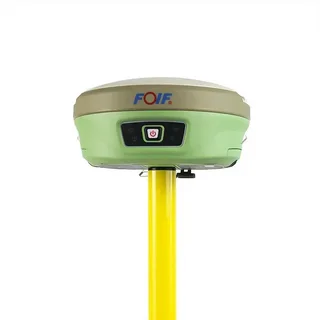
Real-Time Kinematic (RTK) GPS systems have revolutionized precision positioning in fields like surveying, agriculture, construction, and autonomous vehicles. Despite their accuracy, rtk gps systems are not immune to errors. Understanding the common RTK GPS errors and how to fix them is essential to maximize performance and reliability.
1. Satellite Signal Obstruction
One of the most frequent issues with RTK GPS is signal obstruction caused by buildings, trees, or other structures. When satellites are blocked, the system cannot accurately calculate positions, leading to errors.
How to Fix:
- Move the receiver to an open area with a clear view of the sky.
- Avoid operating near tall structures or dense foliage whenever possible.
- Consider using multi-frequency GNSS receivers to improve signal reception.
2. Multipath Errors
Multipath errors occur when GPS signals reflect off surfaces such as buildings or water before reaching the receiver. This reflection can cause the system to miscalculate the position.
How to Fix:
- Use antennas designed to reduce multipath interference.
- Position the receiver away from reflective surfaces.
- Regularly update firmware to benefit from the latest multipath mitigation algorithms.
3. Atmospheric Delays
Signals traveling through the ionosphere and troposphere can experience delays due to atmospheric conditions, introducing small errors in the calculated position.
How to Fix:
- Use correction services such as Network RTK or Virtual Reference Stations.
- Ensure your RTK GPS system supports dual-frequency or multi-constellation GNSS for better accuracy.
4. Base Station or Rover Issues
Errors can also originate from hardware problems at the base station or rover, such as outdated firmware, loose connections, or battery issues.
How to Fix:
- Regularly check and update device firmware.
- Inspect all connections and replace damaged cables or antennas.
- Ensure the batteries are fully charged or connected to a stable power source.
5. Incorrect Configuration
Improper system setup, including incorrect coordinate systems or wrong base station parameters, can cause significant RTK errors.
How to Fix:
- Double-check all system configurations before starting measurements.
- Verify the coordinate system matches your project requirements.
- Use manufacturer guidelines for setting up the base and rover.
Conclusion
By understanding the common RTK GPS errors and how to fix them, users can significantly improve their system’s accuracy and reliability. Regular maintenance, proper setup, and awareness of environmental factors are key to minimizing errors and maximizing the benefits of RTK GPS technology.
